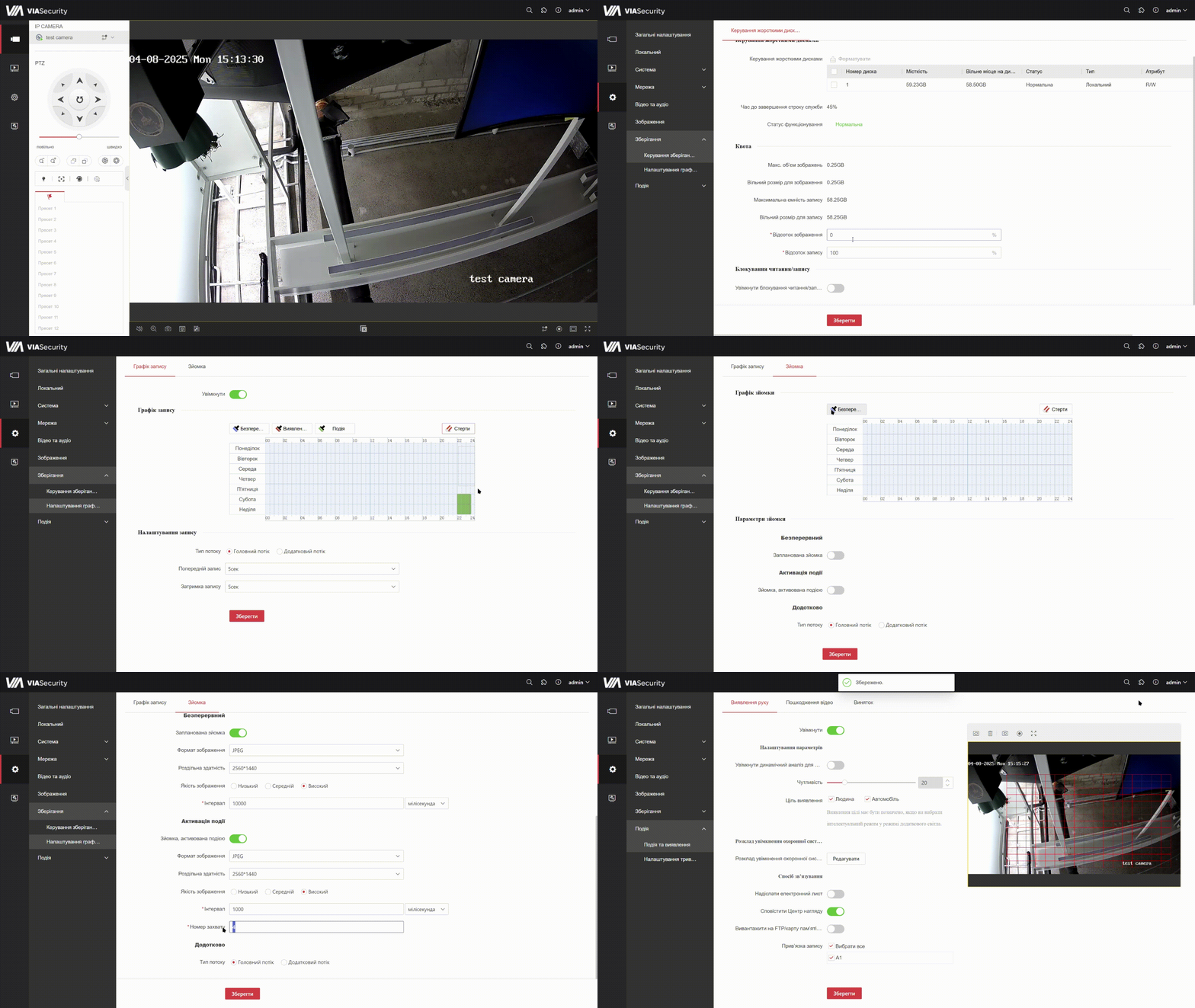
IPC Storage settings
Steps:
- Install the storage device and format it
- Configure quotas for image storage if necessary. If you do not plan to store images - it is better to set 0
- Configure the video recording schedule Continuous/ By event
- Configure image storage. Event-based storage - saving based on detected motion. Serial storage - a series of snapshots is performed within a specified time period
- Be sure to check that event-based recording binding to the camera channel is configured