NVR Password Reset
Steps:
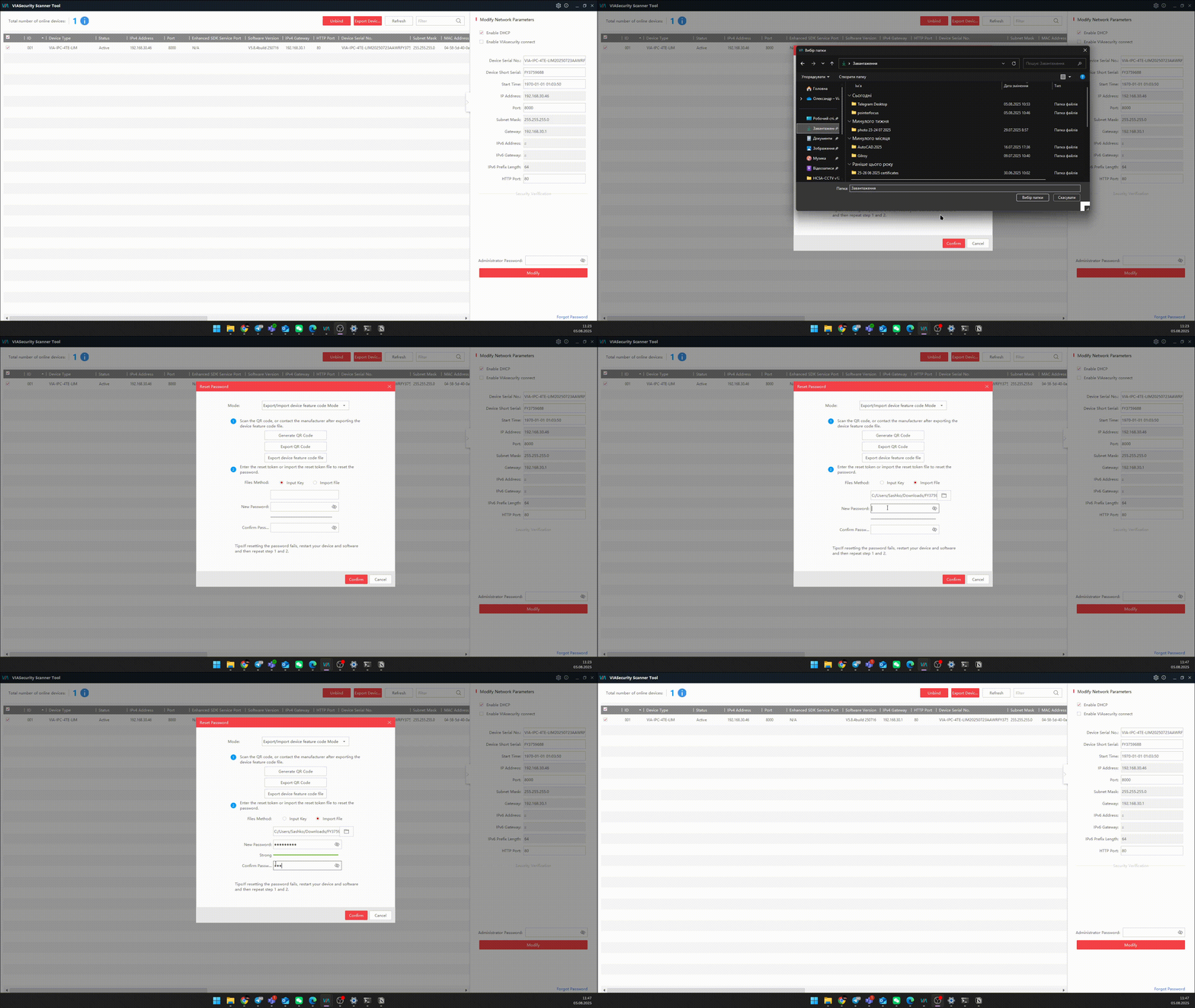
- Open VIASecurity Scanner.
- Select the device for which the password needs to be recovered.
- Click Forgot Password.
- Click Export device feature code file. This is a file that contains all the necessary information to verify the device. After saving, DO NOT restart the device!
- Send this file to Technical Support with the device model specified
- In response, you will receive a file that needs to be uploaded to the software.
- Select Import File and set a new password.