Adding Devices to Viasecurity Control Center
By default, the program allows you to add up to 16 video cameras and 2 door sensors for free. If your system needs to be scaled up, these limits can be expanded using paid licenses — up to a maximum of 128 video channels and 32 door sensors.
Once you activate an official license, your basic free channels are not canceled; instead, they are combined and remain available permanently.
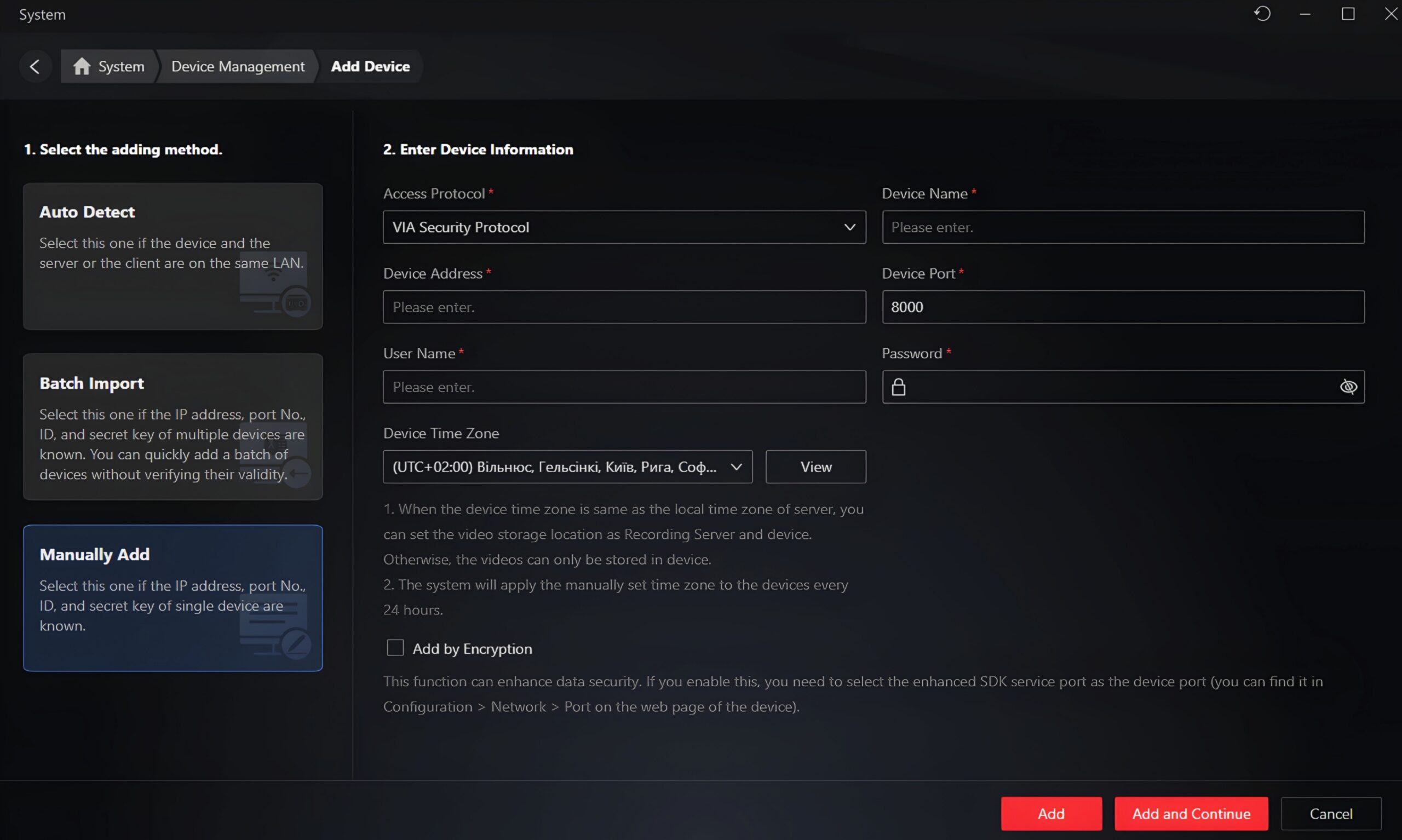
How to Add a Device
To connect new equipment, navigate to the following menu path:
System → Device Management → click the Add Device button.
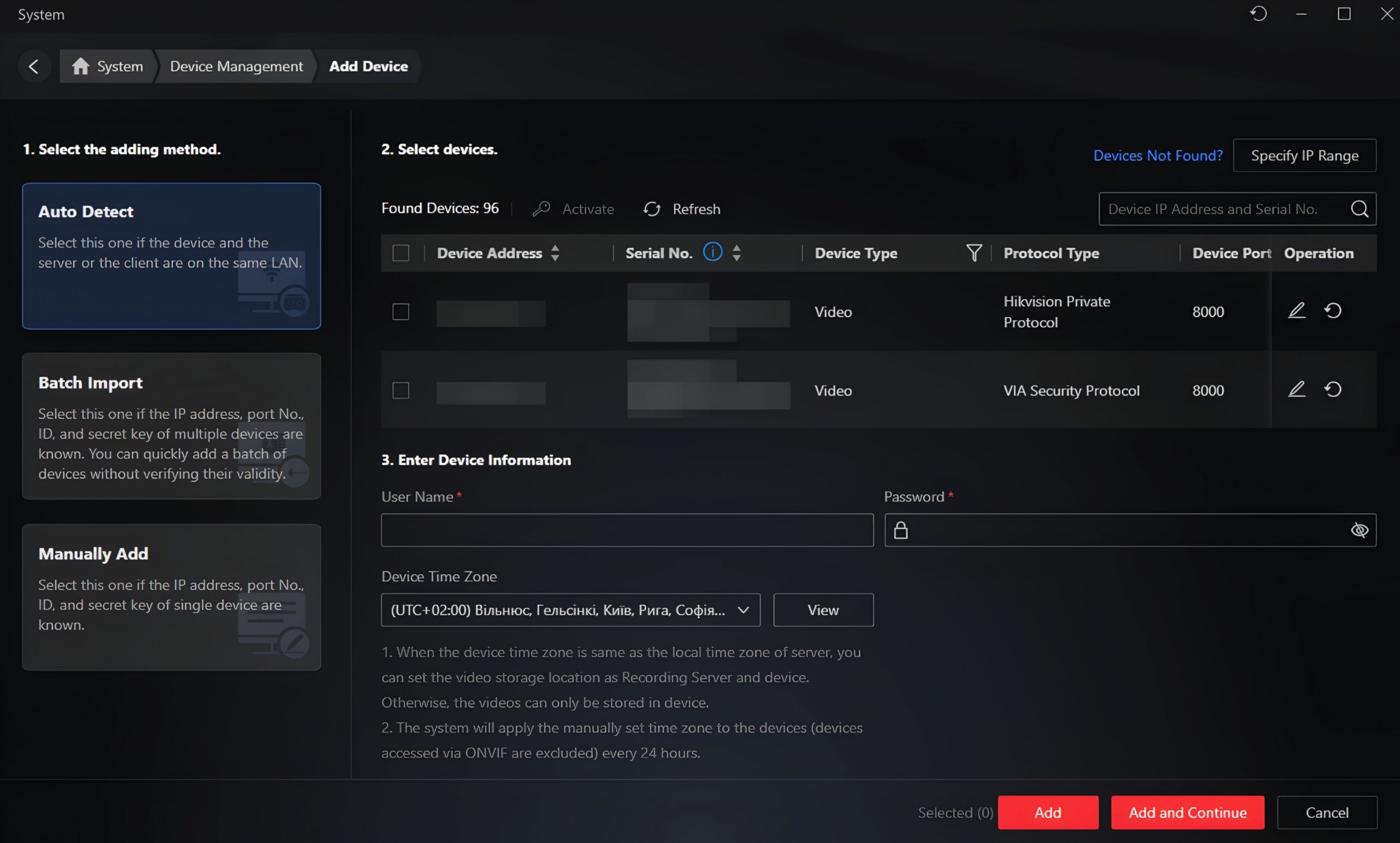
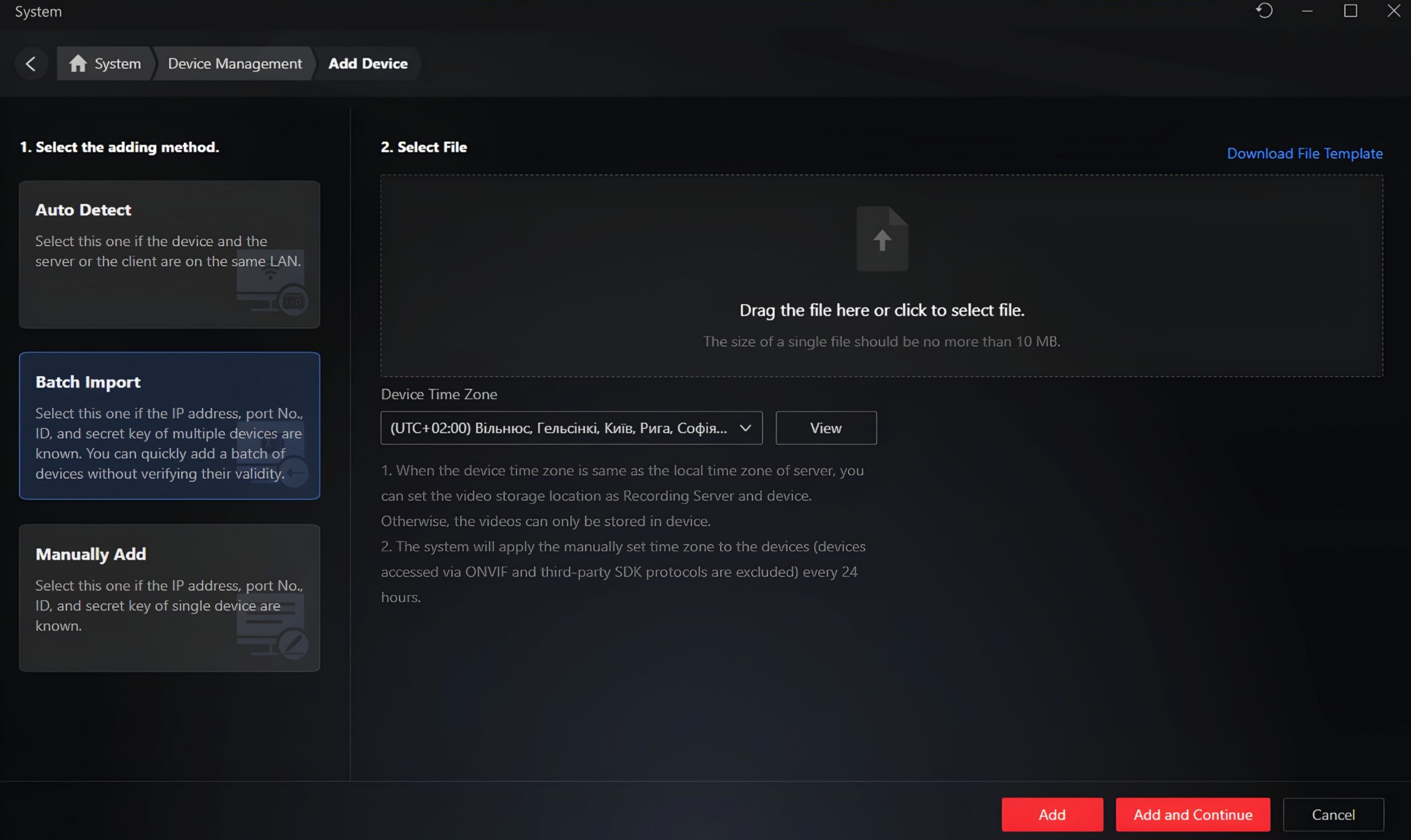
The program supports three convenient ways to connect devices:
— Auto-discovery: The program automatically scans the local network and finds Viasecurity devices. To allow the system to detect devices from other manufacturers, first enable ONVIF protocol support in the settings. Once the program finds the desired device, simply select it and enter your username and password.
— Batch Import: The best option for quickly configuring large facilities. You download a template spreadsheet, fill it in with data for all your devices, and upload it back into the program. This allows you to add all devices at once with a single click.
— Manual Add: You manually enter all connection parameters. To do this, you need to specify the access protocol, a custom device name, its IP address, port, as well as the username and password.