IPC Enabling VIASecurity Connect
In the camera's web interface, go to the menu: Configuration → Network → Platform Access → VIASecurity Connect.
Check the appropriate box to enable the platform access service.
Set a password for video stream encryption (confirmation code). Be sure to remember this password; you will need it to connect and view the feed from the app later.
Save the settings and click the “Refresh” button to check the device’s connection status to the platform.
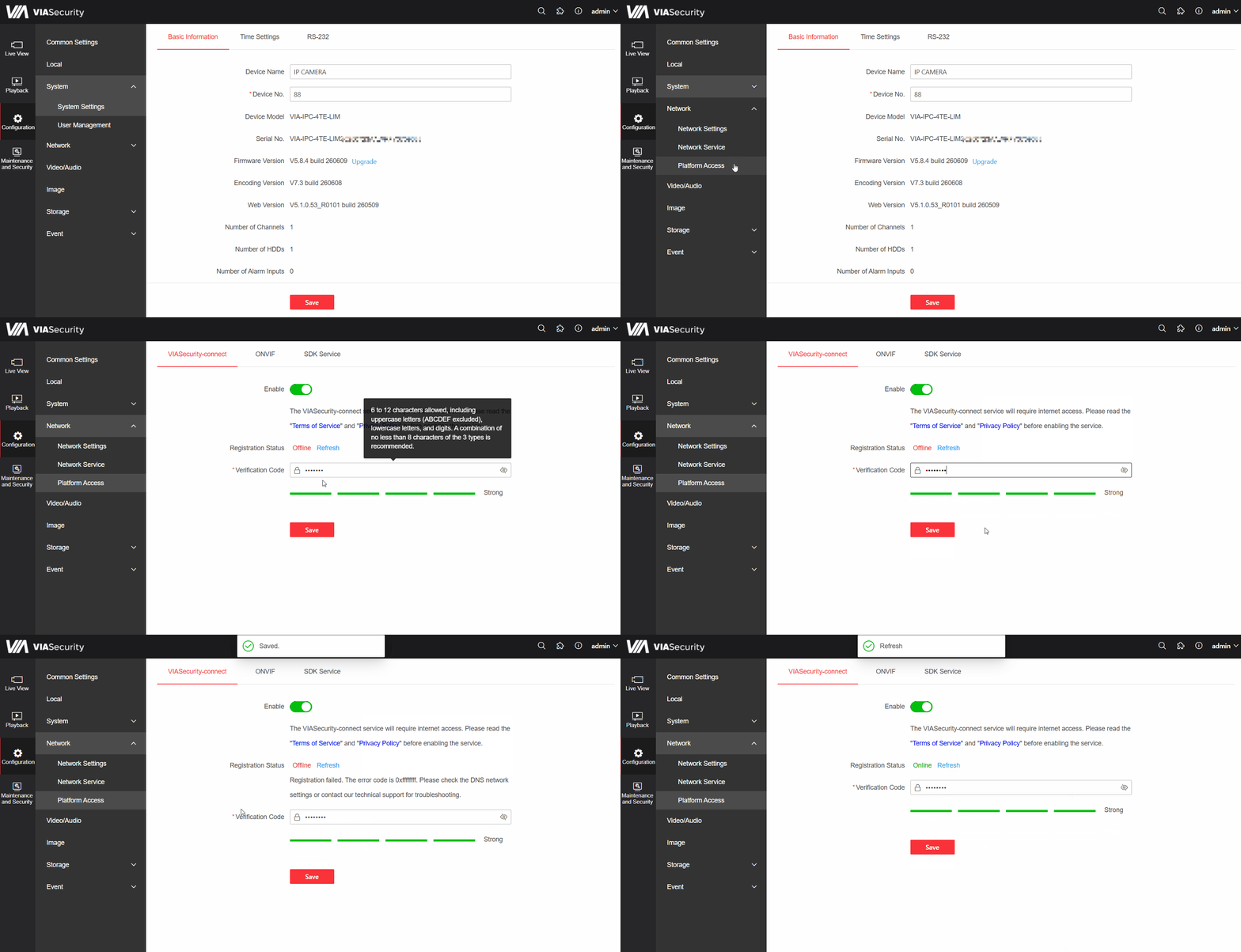
If the connection status does not change after clicking the “Refresh” button, check the following network settings (in the Configuration → Network → Basic Settings → TCP/IP section):
- - Make sure the camera has actual access to the Internet (the cable is connected, the router is working).
- - Enable DHCP so that the camera automatically obtains the correct IP address, subnet mask, and gateway from your router.
- - Manually configure the DNS:
Preferred DNS: Enter the gateway’s IP address.
Secondary DNS: Enter 8.8.8.8 or 8.8.4.4.