IPC Activation
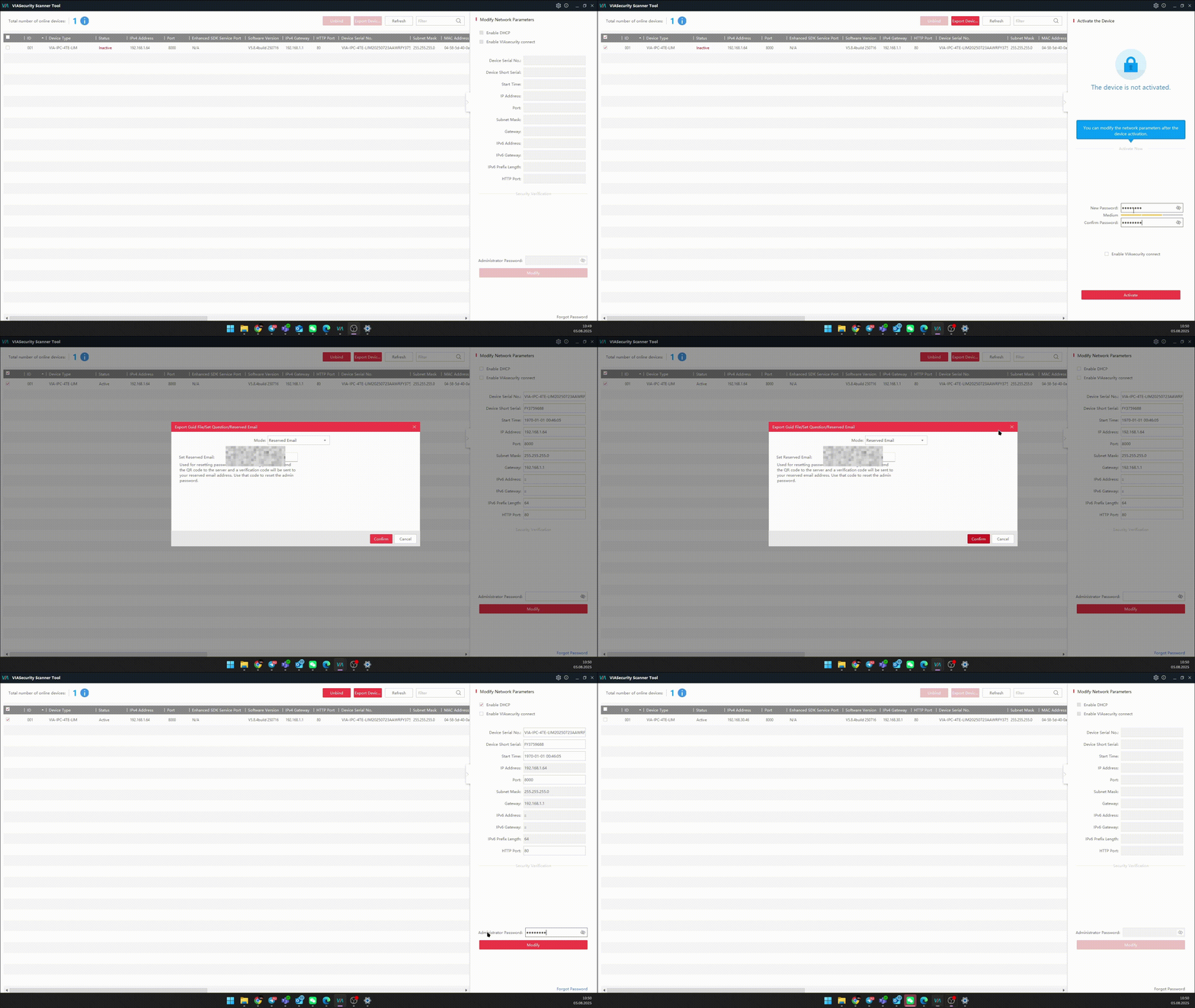
Activation via software:
- Open VIASecurity Scanner
- Select the inactive device with a checkbox. Marked in red Inactive.
- Enter the password twice, set a backup password reset method - security questions / backup email.
- Activate the device by pressing Activate.
- Configure the network IP address using DHCP or set a static address.
Activation via WEB:
- Default IP address 192.168.1.64. Configure the PC network card to the local address segment 192.168.1.0/24. This can be any address in this range except 192.168.1.64.
- Enter 192.168.1.64 in the browser search bar
- Enter the password twice.
- Click "Activation", set a backup password reset method - security questions / backup email.
- Configure the network IP address using DHCP or set a static address.