IPC Activation
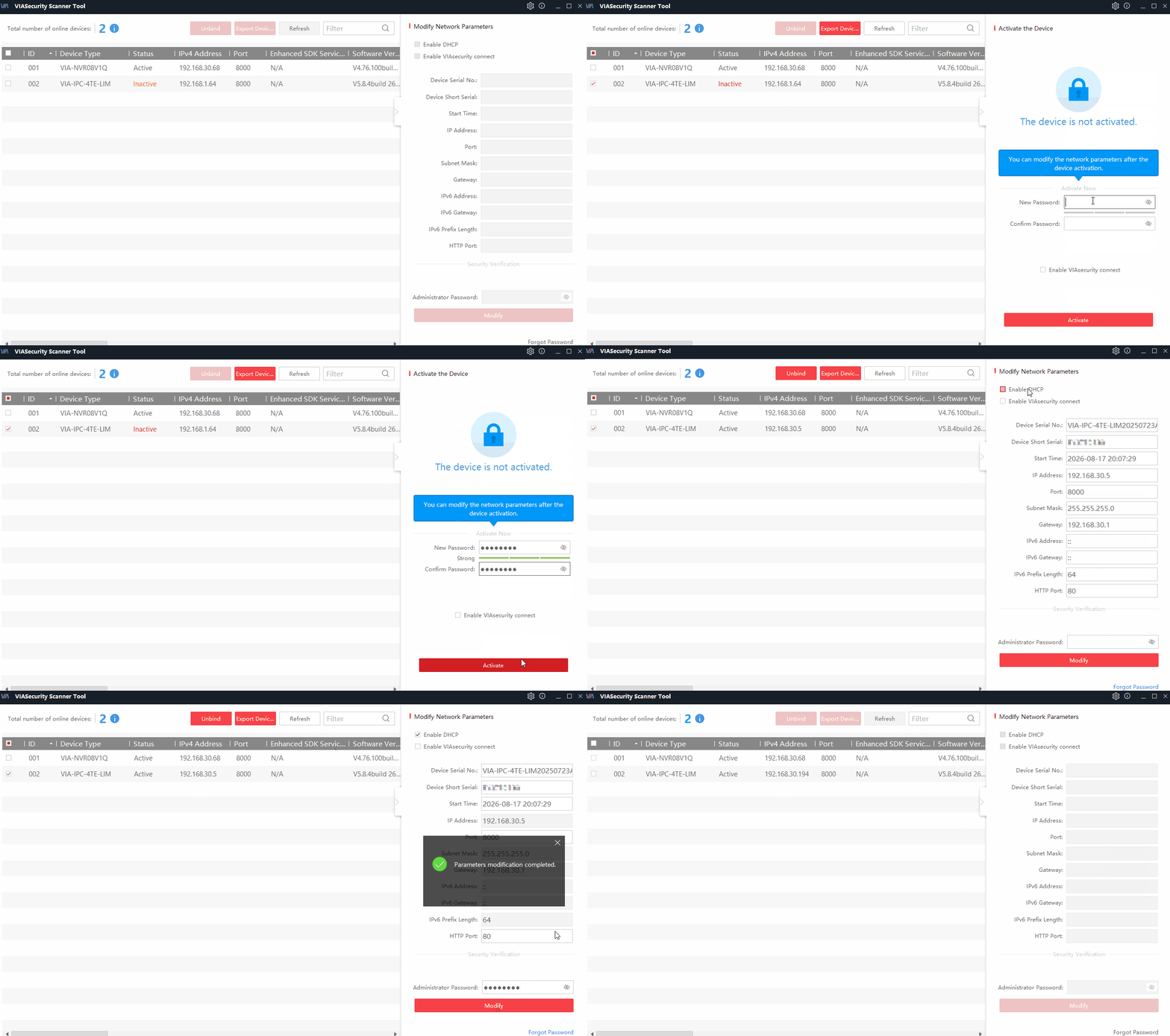
Activation via software:
- Open VIASecurity Scanner
- Select the inactive device by checking the box. It is marked in red as Inactive.
- Enter your password twice, and set up a backup method for resetting your password — security questions or a backup email address.
- Activate the device by clicking Activate.
- Configure the network IP address using DHCP or enter a static address.
Activation via WEB:
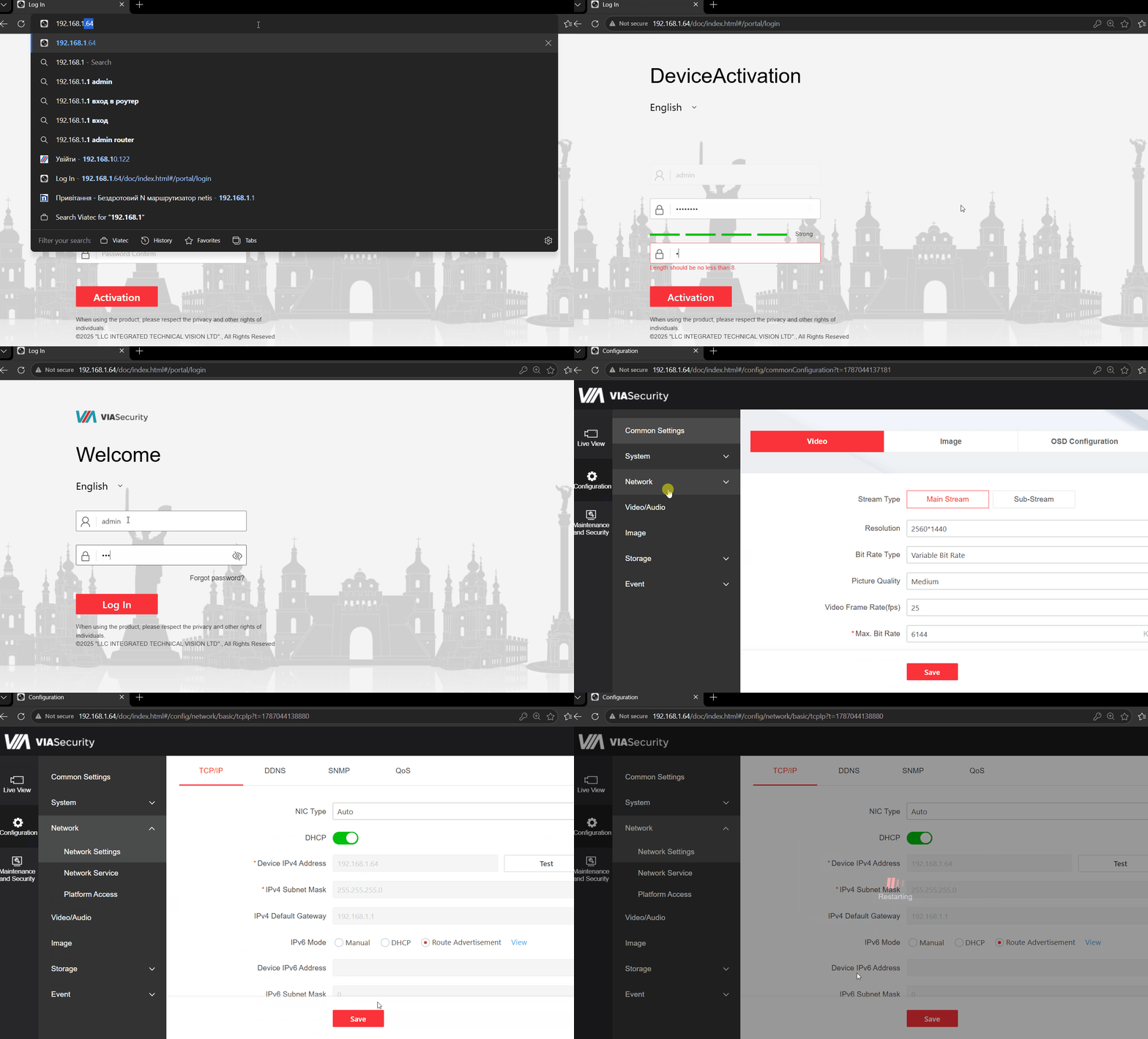
- The default IP address is 192.168.1.64. Configure your PC’s network adapter for the same subnet (192.168.1.0/24) by specifying any available IP address in the range from 192.168.1.2 to 192.168.1.254 (excluding the device’s address, 192.168.1.64)
- Enter 192.168.1.64 in the browser’s address bar
- Set a strong administrator password and confirm it by entering it in the second field.
- Click Activate and set up a backup method for resetting the password — security questions or a backup email address.
- Configure the network IP address using DHCP or specify a static address.