NVR Storage Settings
Steps:
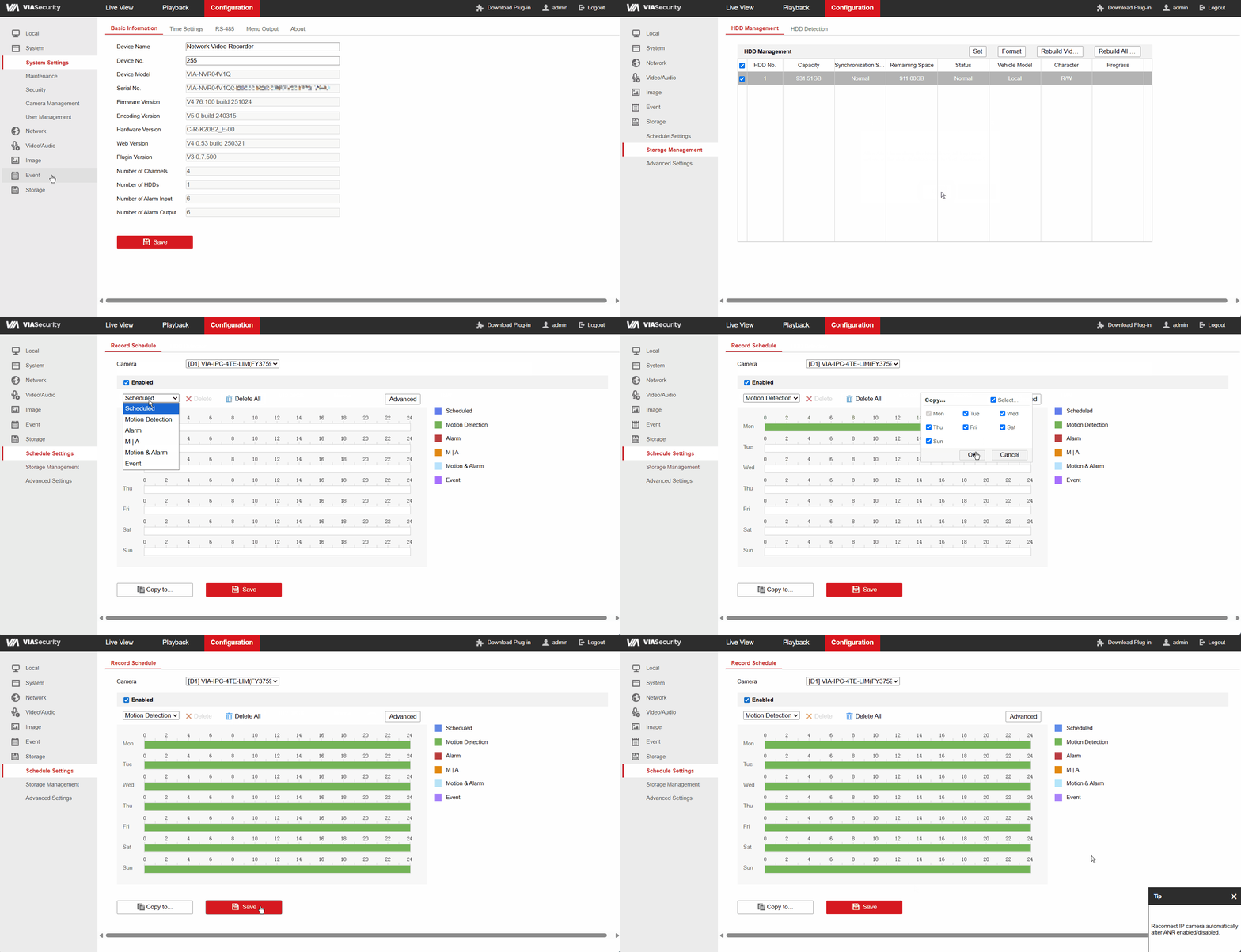
- - Go to the Configuration → Storage → Storage Management menu, select the installed storage device in the corresponding tab, and format it.
- - In the Storage section, open the schedule settings and set the desired video recording schedule (Scheduled / Motion Detection / Alarm).
- - If necessary, enable audio recording and the ANR feature in the advanced settings.