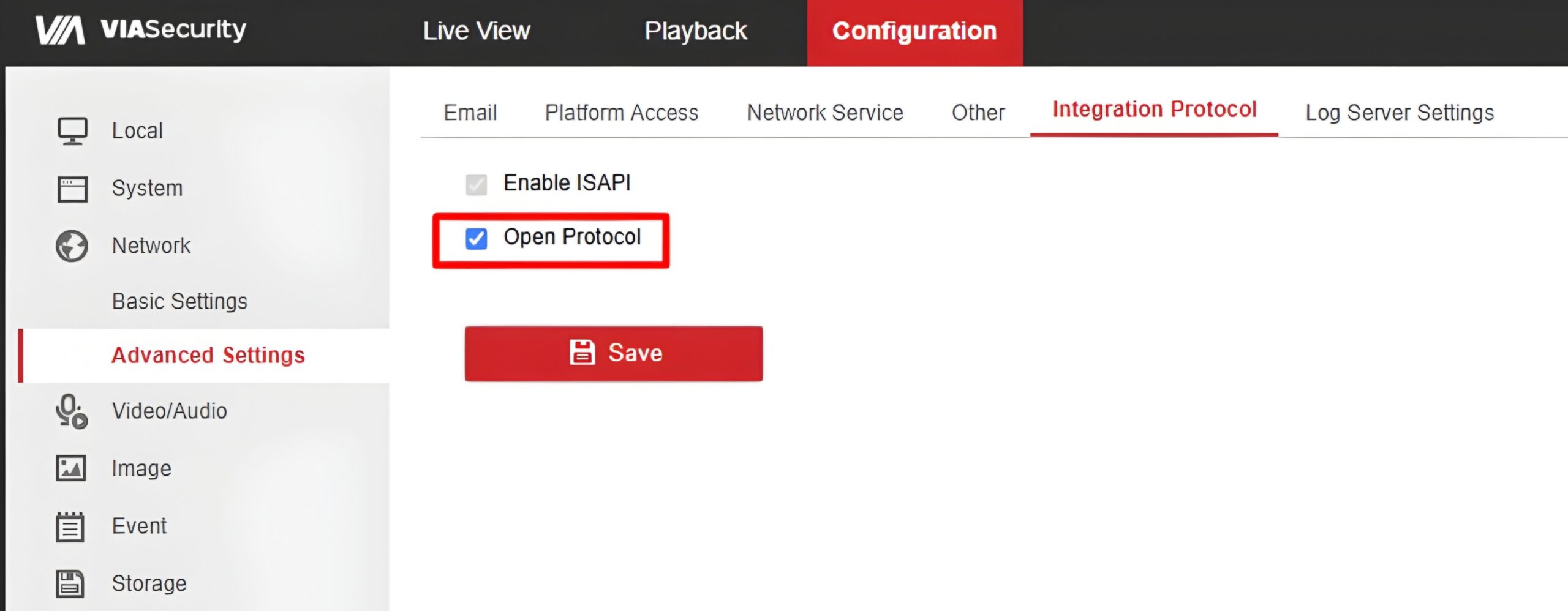
Enabling the Open Protocol on VIA-NVR04/8V1Q NVR
This feature becomes available after updating the firmware to version V4.76.100_260625.
After activating the Open Protocol feature, the video recorder fully switches to using the integrated Hikvision SDK protocol for external connections, and the original Viasecurity proprietary protocol is suspended. When the feature is disabled, the device automatically reverts to operating on the original Viasecurity protocol.
This mode allows you to seamlessly integrate the video recorder with third-party software, as well as add this device to other Hikvision recorders using their native protocol.
When the Open Protocol is enabled, configuration flexibility is maintained; cameras can be added directly to the recorder itself using both protocols (both the native ViaSecurity protocol and the integrated Hikvision protocol).
To ensure the new features work correctly and to avoid software conflicts, you must reset the device to factory settings after installing firmware V4.76.100 dated June 25, 2026.
Setup steps:
- 1. Go to the main settings menu.
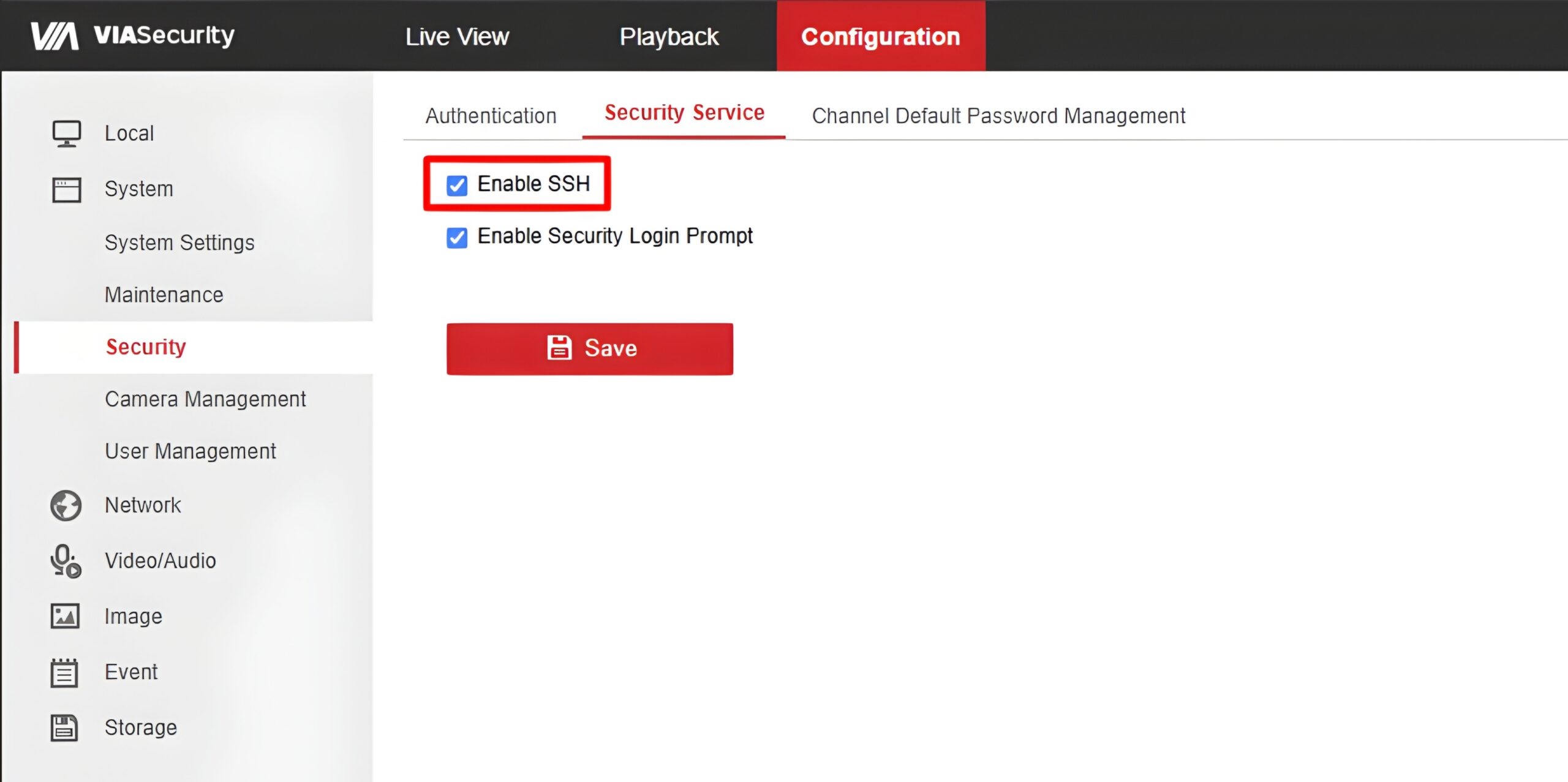
- 2. Open the System → Security → Security Service settings menu.
- 3. Toggle the switch to enable SSH. Save the changes.
- 4. Go to the menu: Network → Advanced Settings → Integration Protocol.
- 5. A new button will appear in this menu — Open Protocol. Enable it and save the settings.